
Make every vacancy a crawlable page with JobPosting schema, then submit it to Google’s Indexing API. That single move does more for job ad SEO than any amount of clever copywriting, because companies using per-job pages with schema and Indexing API report a significant increase in organic application traffic. It fits how AI-driven search reads job data in 2026: structured, specific, and fast to index.
TL;DR:
- Each job vacancy must have a unique server-rendered URL with a clear slug, separate from shared career pages, to ensure visibility to crawlers.
- Including complete, accurate JobPosting schema with required fields and submitting URLs immediately upon posting dramatically increases Google for Jobs appearance.
- Use real, search-oriented keywords in titles and descriptions, focusing on role, seniority, and specialization, avoiding internal nicknames and branding.
- Sending URL updates or deletions through the Indexing API prevents outdated or closed roles from lingering and wastes crawl budget.
- Publishing jobs across all relevant platforms, linking back to the canonical page, and tracking organic traffic improve SEO performance and candidate reach.
Table of Contents
- What is job ad SEO, and how do you fix a listing right now?
- How do you find the keywords candidates actually search for?
- Do you need JobPosting schema, and how do you set up the page?
- How do you write a job description that ranks and converts?
- How fast should a new listing get indexed, and what happens when it closes?
- Where should you publish, and which numbers actually prove SEO success?
- What mistakes quietly kill job ad visibility?
- Jobs-in-Transport’s take on applying this to specialist roles
- Where to go for the technical detail
- Sources
What is job ad SEO, and how do you fix a listing right now?
If you want to audit an existing advert in the next ten minutes, work through this list before touching the wording:
- Confirm the vacancy has its own unique URL and slug, not a shared careers page with an anchor link.
- Check the title tag stays under 60 characters and the meta description sits around 150.
- Verify the JobPosting JSON-LD includes title, datePosted, jobLocation, and directApply, plus baseSalary if you can disclose it.
- Add a visible salary range, clear location or remote status, and one obvious call to action.
- Submit the URL through the Indexing API or request indexing manually via Search Console.
Most listings fail on the first point alone. A single non-indexable careers page with twelve roles stacked behind tabs is invisible to crawlers, no matter how well the copy reads.
How do you find the keywords candidates actually search for?
Candidates search in a fairly predictable pattern: role, seniority, specialism. Someone hunting for a mid-level infrastructure role types “senior transport planner” or “highways project manager,” not the internal title your HR system generated. Pull real search phrases from three places: autocomplete suggestions when you type a role into Google, the top-performing titles on established job boards in your sector, and your own site search analytics if your careers page has an on-site search bar.
Once you’ve confirmed the phrase, place it in the job title, the URL slug, and somewhere in the first 100 words of the description. Secondary terms belong in bullet points and one subheading, not crammed into every sentence.
- Match the title to how the role is searched, not how it’s filed internally.
- Use one primary phrase up top, then let synonyms carry the rest of the page.
- Check search suggestions and competitor titles before finalising wording.
Pro Tip: Ditch internal branding like “Transport Ninja” or “Infrastructure Hero.” List the industry-standard title first, then mention the fun nickname in the body copy if you must. Search engines and applicant tracking systems both reward the standard term.
Do you need JobPosting schema, and how do you set up the page?
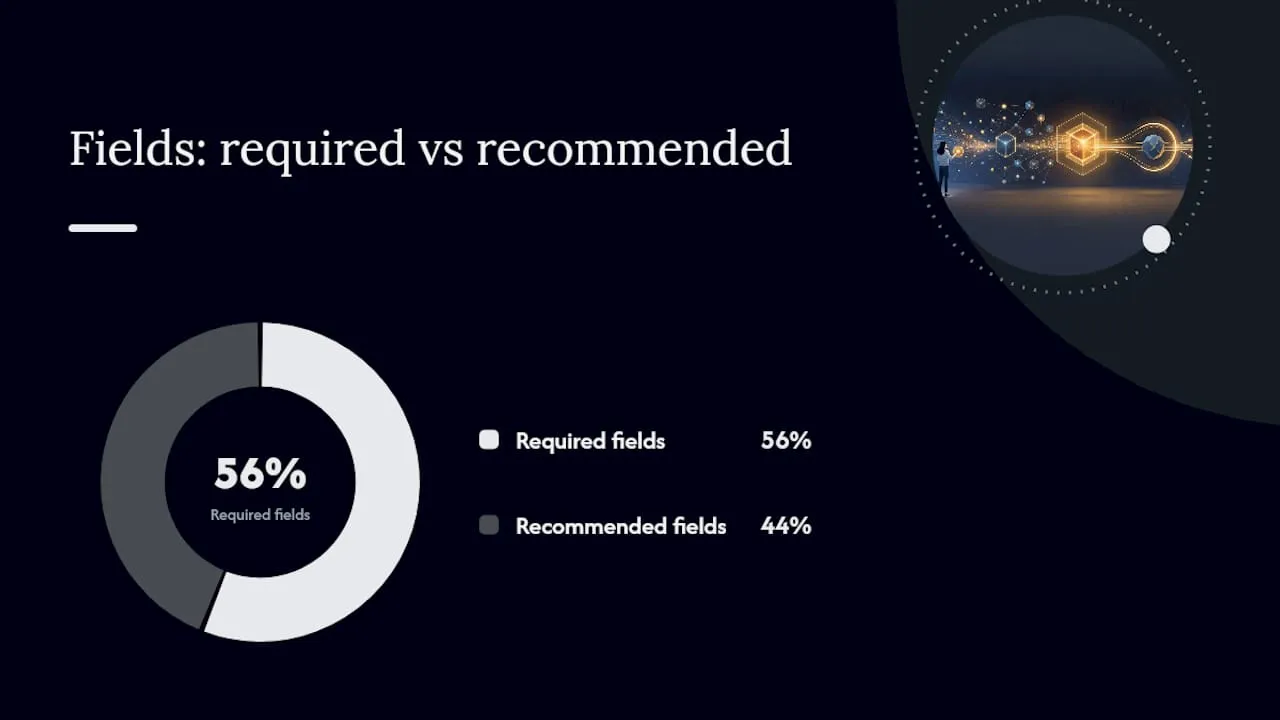
Yes, and it’s non-negotiable if you want Google for Jobs visibility. JobPosting structured data with the correct required fields is what determines whether a listing appears in that panel at all — miss the schema, and the role simply doesn’t show up, regardless of how well the page ranks organically.
Start with the page itself: every vacancy needs a server-rendered, permanent URL with a clean slug combining role and location, such as /jobs/traffic-signals-engineer-manchester. Your meta title should carry the job title, location or “remote,” and the company name, all inside 60 characters.
| JSON-LD field | Status | Why it matters |
|---|---|---|
| title, description, datePosted | Required | Baseline for any Google for Jobs listing |
| hiringOrganization, jobLocation | Required | Confirms who’s hiring and where |
| baseSalary | Recommended | Improves CTR because searchers see pay in results |
| validThrough | Recommended | Prevents expired roles surfacing as live |
| applicantLocationRequirements | Recommended | Clarifies remote eligibility upfront |
| directApply | Recommended | Signals a frictionless application path |
Rich fields like these also feed AI-driven search summaries, which tend to lift structured, specific listings over vague ones when generating an overview.
- Give each role its own page, never a shared listing block.
- Fill every required field before touching optional extras.
How do you write a job description that ranks and converts?
Length matters less than clarity. Aim for 300 to 500 words that describe what success actually looks like: the day-to-day tasks, the tools used, who the person reports to. AI-driven search systems favour clear, specific descriptions over keyword-stuffed copy, and that preference is only getting stronger as more search results pull from generated summaries rather than raw listings.
- Open with a two-sentence summary of the role and what success in it looks like.
- Break the rest into scannable sections: responsibilities, must-haves, nice-to-haves, benefits, and salary.
- Name real tools, team size, and KPIs so the content gives search systems something concrete to extract.
- Use synonyms and semantic variety for repeated terms instead of typing the same phrase five times.
Pro Tip: Front-load the first 100 words with what success in the role actually looks like. Candidates decide whether to keep reading in that window, and it’s also the section AI overviews tend to lift verbatim.
Salary transparency isn’t just a candidate-experience nicety. Listings that disclose a salary range consistently see higher click-through rates and better-quality applications.
How fast should a new listing get indexed, and what happens when it closes?
Without the Indexing API, a fresh listing can sit uncrawled for one to four weeks, which is often longer than the role stays open. Submitting the URL through the API gets it seen within hours instead. Google’s default quota sits at 200 requests per day, so batch submissions or prioritise your highest-value roles first.
- Submit every new job URL to the Indexing API the moment it goes live.
- When a role closes, send a URL_DELETED notification rather than leaving a soft “filled” page live.
- Keep live job URLs in your XML sitemap and check coverage in Search Console weekly.
- Never render core job content client-side only; use server rendering or prerendering so crawlers see the full page.
A closed role that just sits there with no content, or worse, silently redirects to your homepage, wastes crawl budget and confuses both search engines and returning candidates.
Where should you publish, and which numbers actually prove SEO success?
Publish the job everywhere your candidates look, social channels, niche boards, forums, but always route the click back to your canonical job page rather than duplicating the full text elsewhere. Tag every outbound share with UTM parameters so Analytics can separate organic search traffic from social and referral clicks.
- Track organic sessions on the job page itself, not just total site traffic.
- Monitor SERP click-through rate for the listing’s target query.
- Measure application rate against sessions, and cost per organic applicant against any paid boosts.
- Link from your careers hub and related blog content back to live vacancies to keep crawl frequency high.
Internal linking from a well-structured careers hub genuinely helps search engines discover and re-crawl job pages, particularly on larger sites where new URLs might otherwise take weeks to surface. A small, regular edit to a live listing, updating a benefit, tightening a sentence, also signals freshness and can nudge visibility upward between major republishes.
What mistakes quietly kill job ad visibility?
The single biggest offender: dumping every vacancy onto one non-indexable careers page instead of giving each its own URL. Accordions and tabbed job lists behind a shared page are effectively invisible to crawlers, no matter how good the individual descriptions read.
- Duplicate boilerplate company descriptions across every listing dilute uniqueness; keep them short and vary the wording.
- Omitting salary or the application process drags down both click-through rate and application quality.
- Client-side-only rendering hides content from crawlers entirely; fix it with server rendering.
- Forgetting to notify the Indexing API when a role closes leaves dead pages competing with live ones.
Pro Tip: If you can only fix one technical issue this month, fix rendering. A perfectly written listing that a crawler can’t see doesn’t exist as far as search is concerned.
Jobs-in-Transport’s take on applying this to specialist roles
Transport hiring has a narrower candidate pool than most sectors, which makes SEO fundamentals matter more, not less. A highways engineer or traffic signals specialist isn’t scrolling generic job boards; they’re searching precise, technical phrases, and a listing that isn’t indexed properly simply never reaches them.
Each vacancy should be structured as its own page, categorised by discipline, which keeps listings crawlable and specific rather than buried in a generic feed. Employers advertising specialist roles gain the most from small experiments: test a salary-disclosed version against a non-disclosed one, or watch whether updating a stale listing’s wording lifts its position over a few weeks.
Employers wanting to see current advertising options can review what’s available, and our about us page covers how the platform supports discoverability across the sector.
— Rob
Where to go for the technical detail
For implementation, start with Google’s Indexing API documentation and JobPosting schema guidance. Test structured data with Google’s Rich Results Test, and for writing content AI systems are more likely to cite, see this guide to LLM SEO.
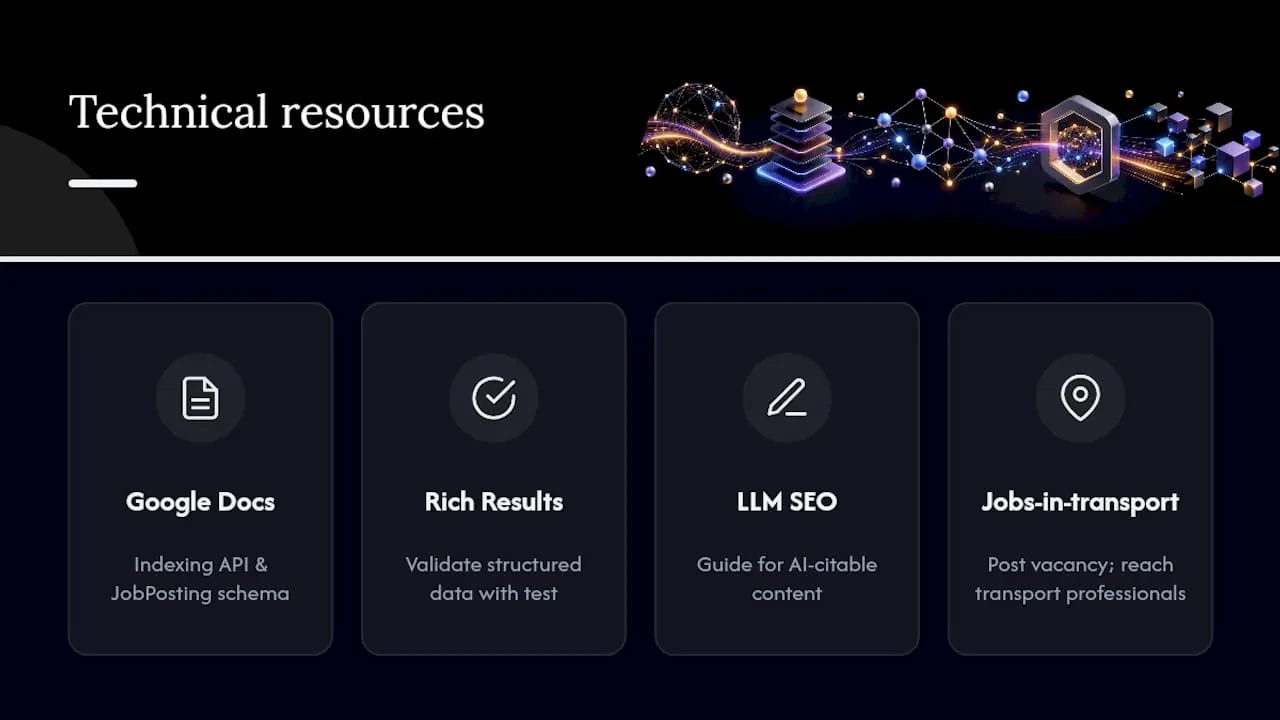
Ready to put this into practice? Post a vacancy on Jobs-in-transport and reach transport professionals who are already searching by role and specialism, not scrolling generic listings.


